Mixlab Orders Queue
Mixlab is a compounding pharmacy that focuses exclusively on pet medications.
They processes hundreds of orders per day, each with many steps which need to be completed by different team members. The existing tools didn't match the job. Pharmacists logged prescriptions in an off-the-shelf pharmacy system, then orders got printed and everyone downstream worked off paper: printed sheets and sticky notes. An order could split apart mid-process with no reliable way to check the status, resulting in processing errors and shipping delays.Mixlab needed software built around how fulfillment actually works taking into consideration user roles and the medication's real path through the pharmacy.

As Design Lead, I developed a new software platform for our pharmacy team, replacing a patchwork of printouts, sticky notes, and guesswork with role-based order queues that always made order status and next steps clear. Faster, more accurate fulfillment, with personal touches along the way. I started by understanding the current state of things by observing and conducting interviews with team members who were fulfilling orders.
First, I mapped how an orders physically move through the pharmacy — phones, prescription desk, sterile compounding, packaging. This gave me an understanding of the current process and where it could be streamlined. It immediately become obvious that we needed us digitize record keeping to prevent all of the loose sheets of paper that were leading to confusion and delayed shipping.
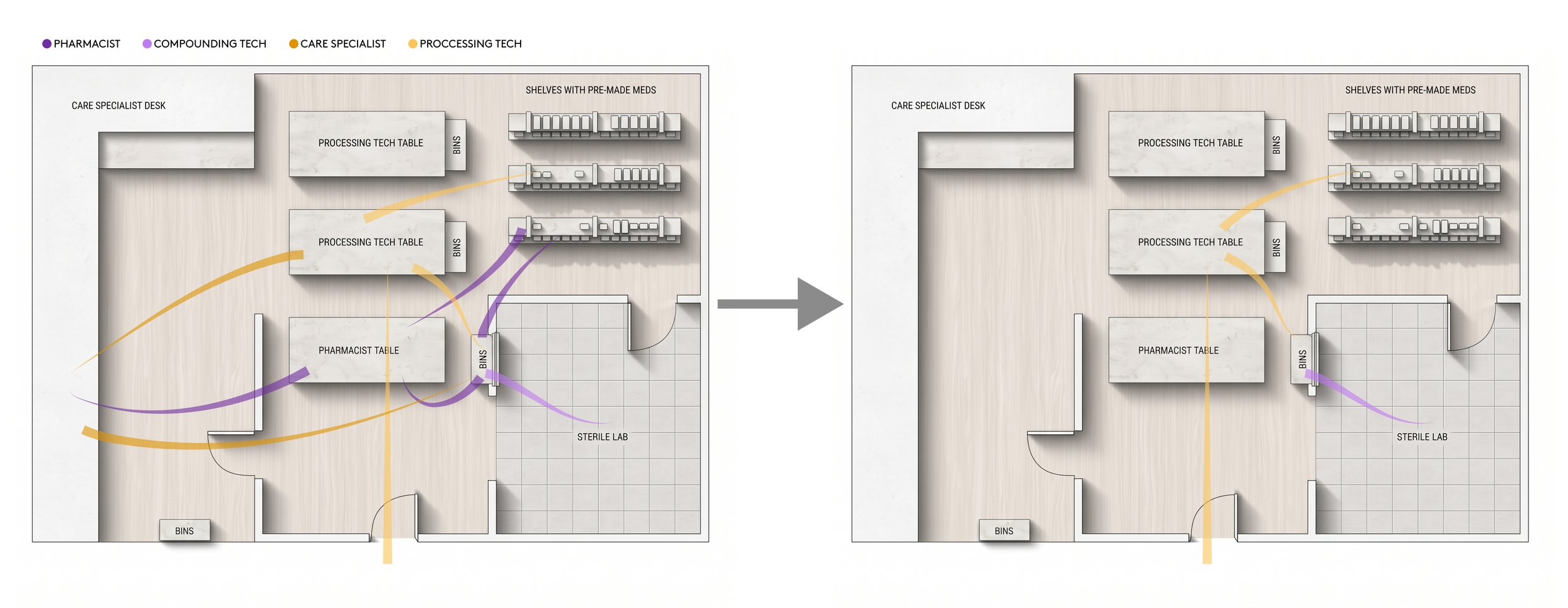
Before implementing the new system, order contents were being moved around the pharmacy by all employees. This caused confusion, unclear ownership, and frequent delays. After the change, only compounding and processing techs were physically touching orders, and a clear process queue made it clear where the order was at all times and who was working on it.
We set a goal of fully digitizing the workflows for the Pharmacists and Care Specialists. This would greatly reduce movement through the lab, and allowed team members in these roles to remain at their dedicated work spaces, eliminating the possibility for lost or separated printed prescriptions.
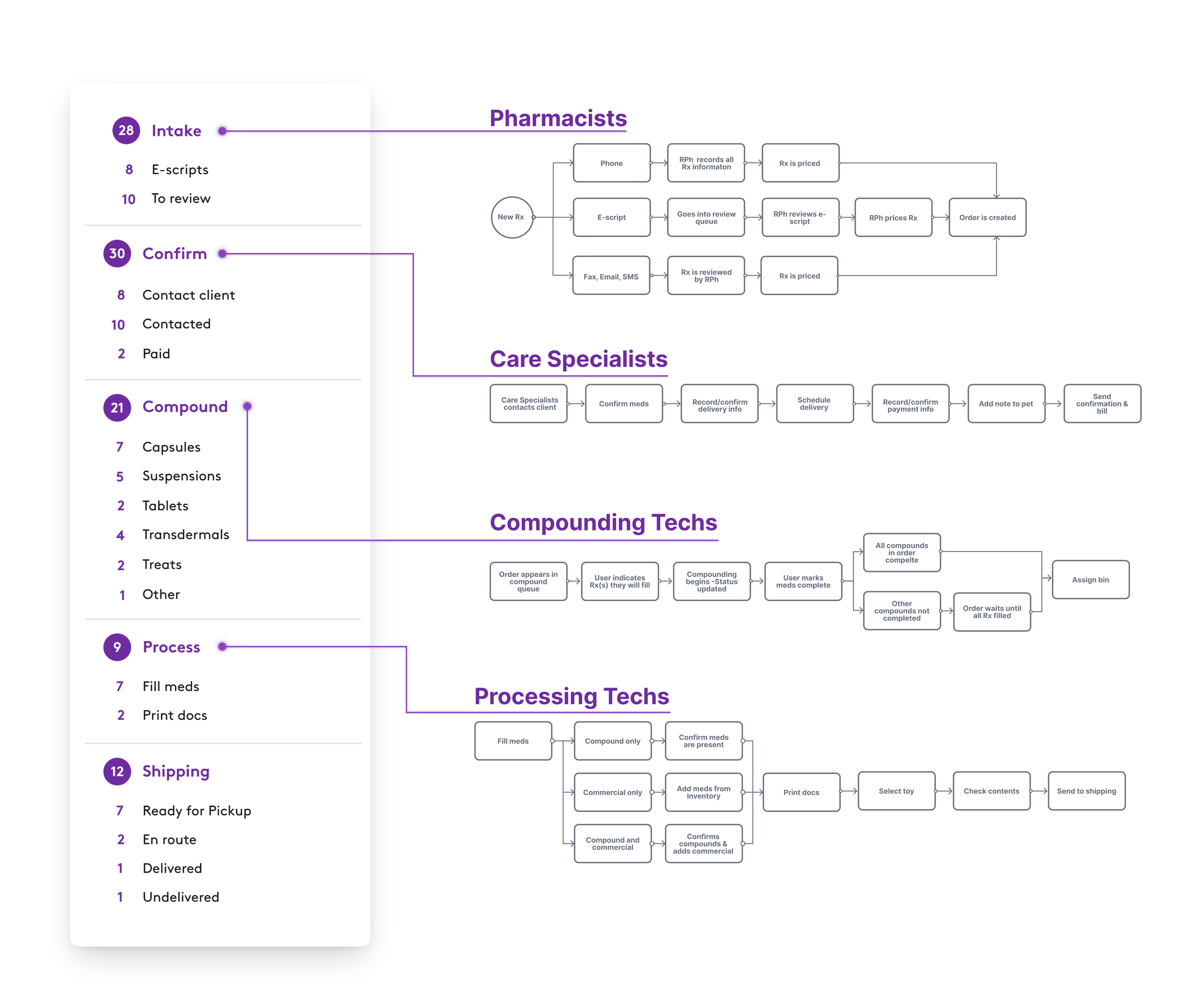
By interviewing pharmacists, care specialists, compounding techs, and processing techs, I was able to mapped a workflow for each role and understand current pain points. A key finding: there was no clear "next action." Nobody could tell at a glance what to do next — that became a key focus area for the redesign.
Orders Queue
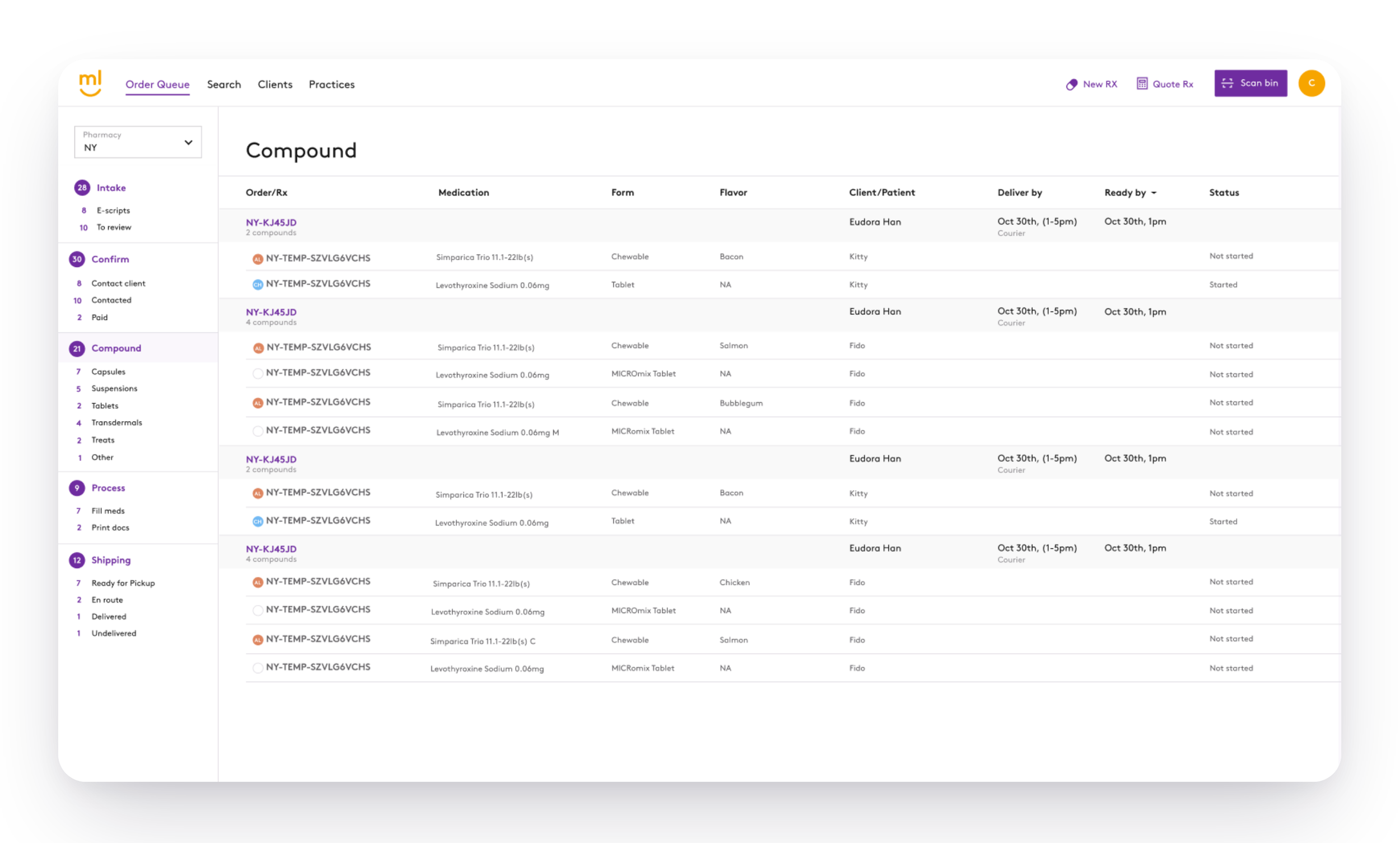
We decided to format the platform as a queue to help keep users understand clear next steps for each order. The user flows defined the steps in the tasks queues. Main steps were established with supporting sub-steps. Each main step corresponds to a user role. This allows users to see how many orders need to be handled, and what specific sub-steps are incomplete. Additionally, the information is now organized by order, rather than prescription. This keeps prescriptions properly grouped so they will be processed together.
Order Details Page
When the user selects an order from the queue, they are brought to the order details page. This page evolves as the order moves through the queue so that each role can complete their specific tasks.
Order
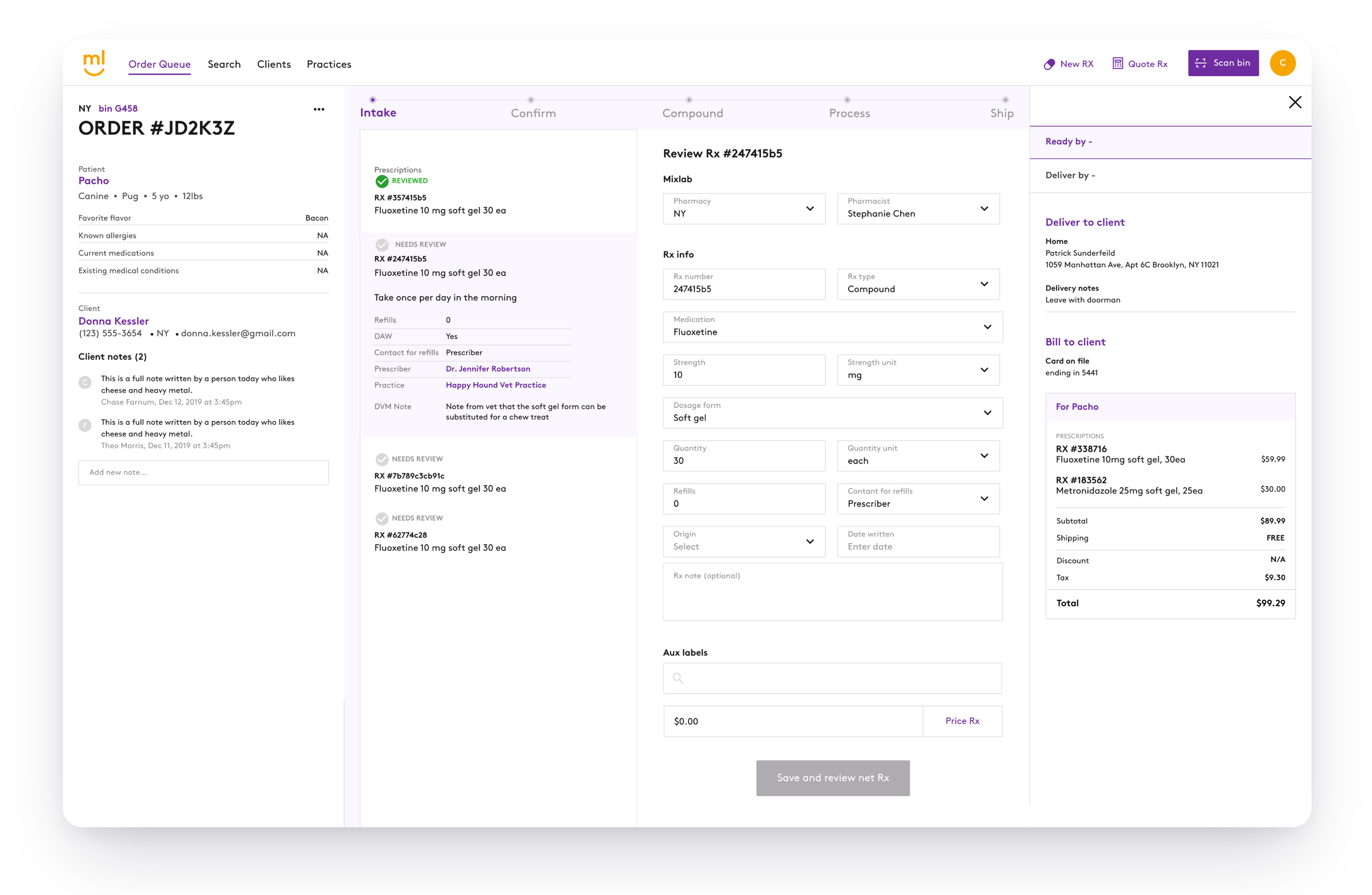
During the intake step, Pharmacists will be recording and verifying all of the prescriptions in the order. So, in this step, the center portion of the order has a list of all prescription for that order which the user will navigate through as they complete the review for each prescription. One all prescriptions are completed, the Pharmacists will send the order to be confirmed.
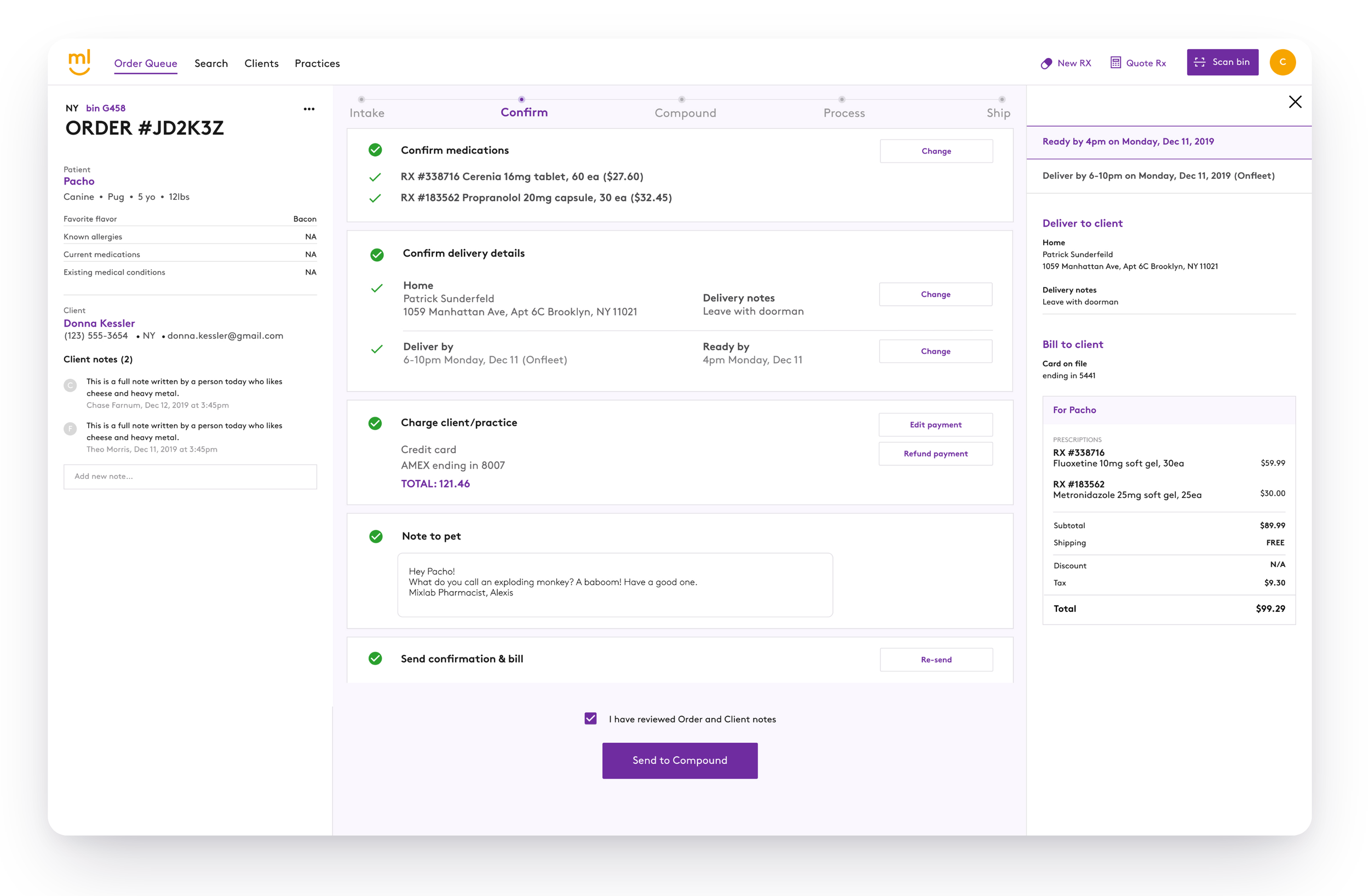
When in the confirm step, the order details page displays the details the Care Specialist will confirming with the pet parent. They will also schedule the delivery during this step and add a custom note to the pet. As the user confirms the information, the updates will be reflected in the data on the righthand side of the card.
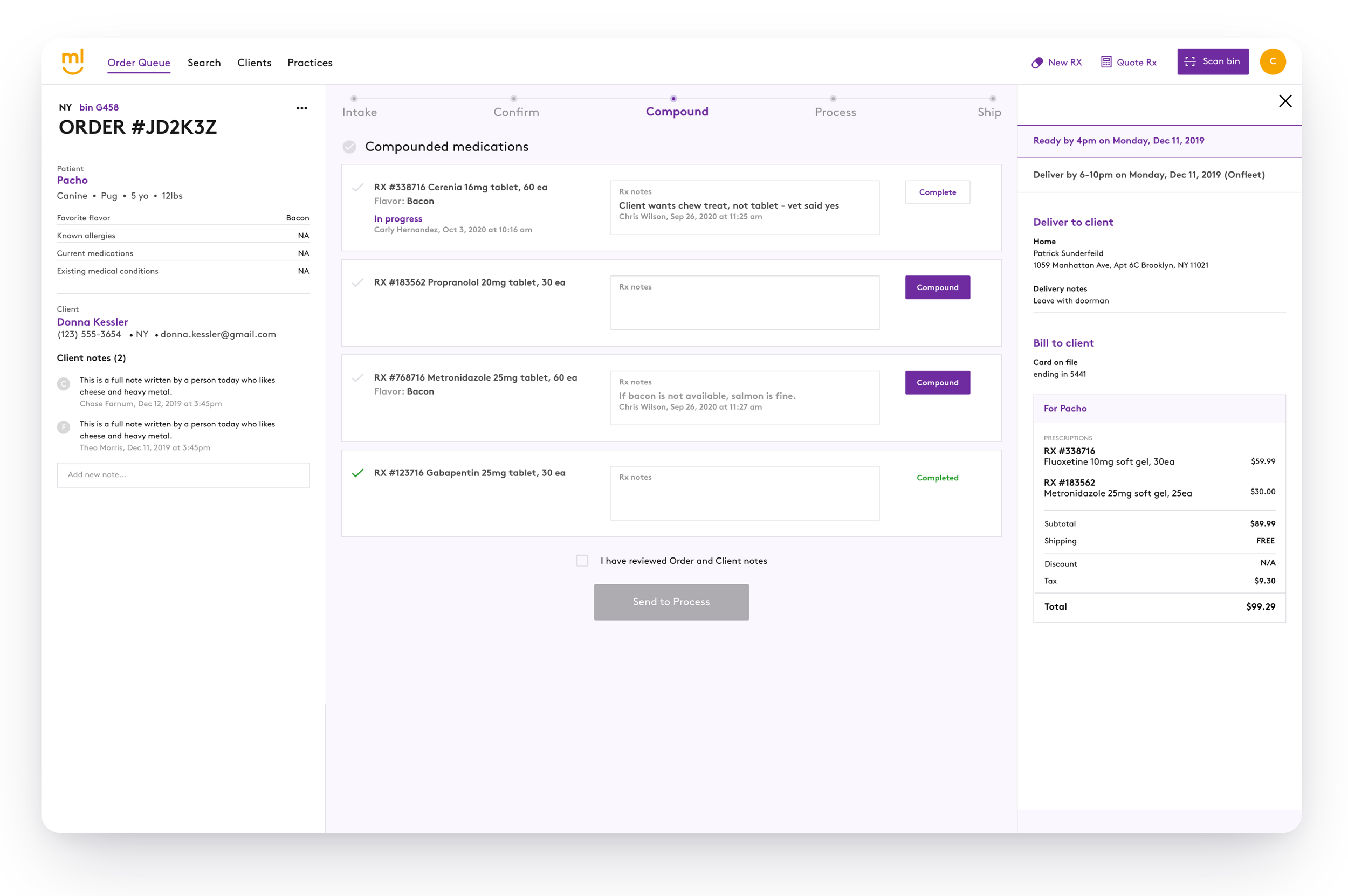
Once the order goes to the compound step, a bin will be created. This is the first moment the order leaves the strictly digital world as the Compounding Technician begins making the medications for the order. They will check off each medication and send the order to the process step when they are done.
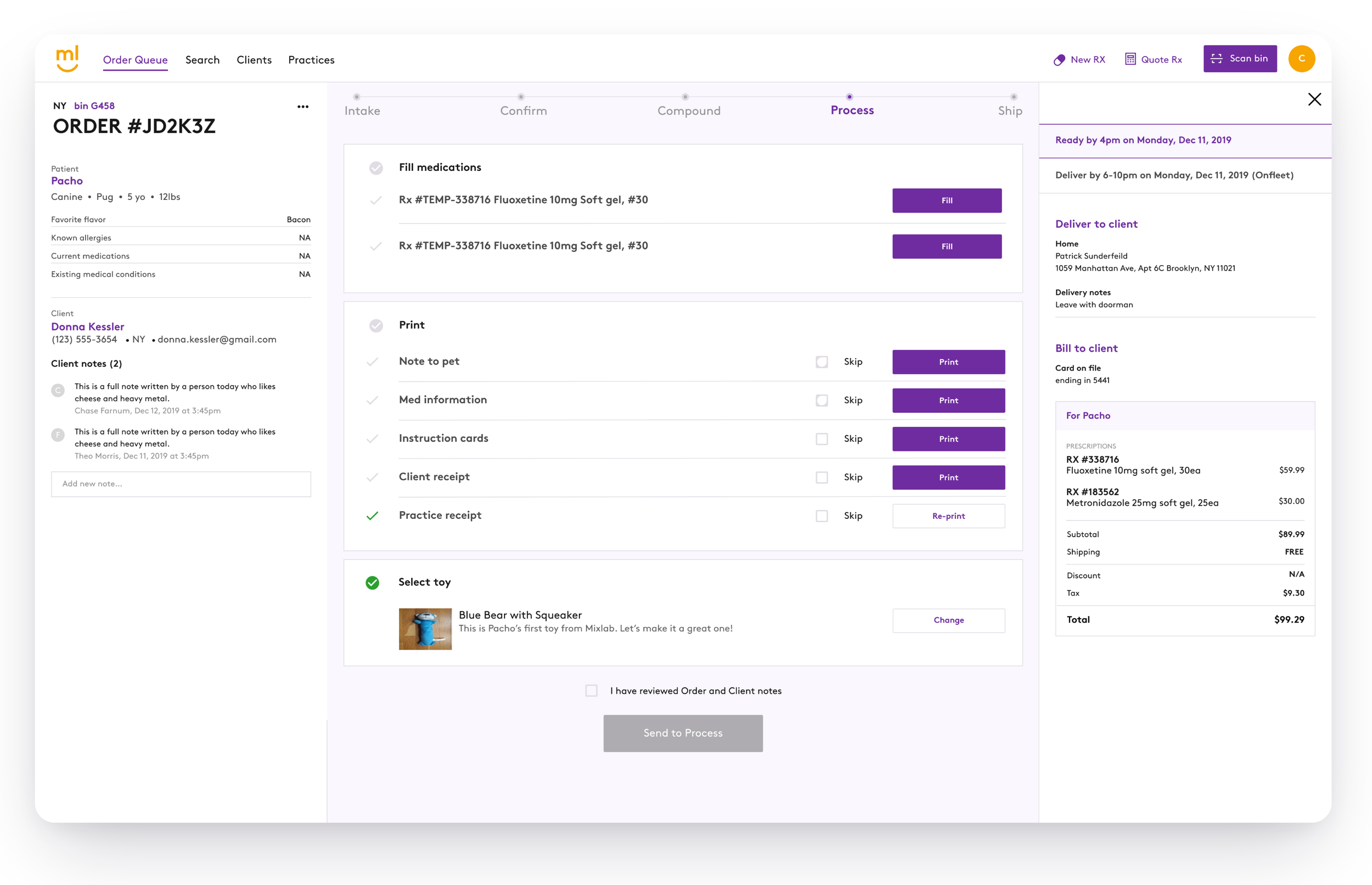
During the process step, a Processing Technician find the bin with the medication and completes the packaging of the order before sending it out to Mixlab’s shipping partners. They will confirm all medications are present, and add any commercial medications (off the shelf) that may be in the oder. Next, all documents for the order will be printed and a special toy will be added for the pet.
While the development team was building the new designs, training material was created to ensure a smooth rollout by having all of the users familiar with the updates. This included video tutorials, quizzes, and scenarios for users to walk through to verify that they understood how the new system would work. “Office hours” were setup where users could ask questions about the updates, and all users were tested on the updates to ensure comprehension.
Next Steps
We got a lot of great feedback on how users enjoy working with the new software, and how the new design has increased accuracy and speed of processing orders. As we continue to make refinements, user feedback and observation of pharmacy practices have lead us to focus on the following issues: Exploring increased visibility and ranking of client and order notes, digital stock check for medications, and digital QA for pack and ship.